
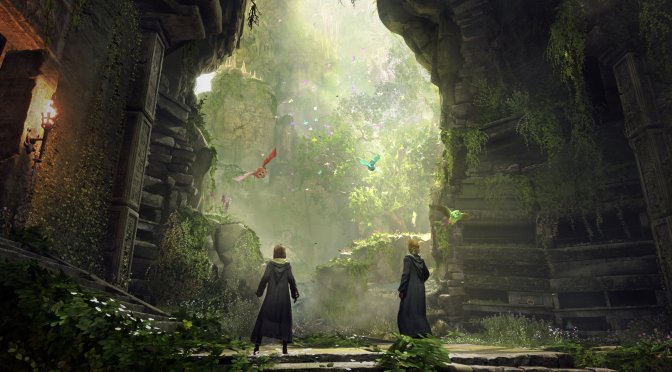
Avalanche Software has released the June 2nd Update for Hogwarts Legacy which packs numerous performance optimizations and improvements.
According to the release notes, this update brings memory optimizations, as well as improvements to overall lighting. Furthermore, it aims to minimize traversal stutters, and addresses landscape streaming issues during Hogwarts. Furthermore, it further improves the game’s stability by fixing a number of crashes.
As always, Steam will download this update the next time you launch its client. Below you can also find its complete changelog.
Hogwarts Legacy June 2nd Patch Notes
Bug Fixes
Gameplay
Missions
- Resolved quest failing to progress upon starting the final battle
with the Pensieve Guardian - Resolved Percival Rackham’s Trial not being able to be completed
causing a progression blocker
Cinematics
- Resolved avatar using a generic NPC wand instead of their unique wand
Avatar
- Resolved the avatar’s robe moving unnaturally while drinking the
potion if they are created immediately after making a manual save on another character’s slot
Achievements/Trophies
- Resolved large gold chests being lootable after patching
- Resolved achievements not working correctly when no internet
was available - Also resolved Gregory and Goblet of fire field guide pages not showing complete after latest patch
- Resolved with Daedelian Key and not being able to open chest to
get house reward - Resolved “Allow “Known” Collection items to count correctly
towards proper achievements
UI
- Updated localization overlapping issues related to location names
- Resolved quest tracking icon remaining on map and minimap after the quest is completed
- Resolved intro outfit and robe being available in your gear appearances by default
- Also resolved untracking missions in-game, in the map and/or mini-map not updating their icons and/or disappearing
- Resolved the user getting stuck on the ‘Field Guide’ screen if they spam the [MENU] button while transitioning to the ‘Map’ screen
Save Game
- Resolved restarting from a manual save can place Sir Nicholas at the mission’s starting point
- Resolved player being able to permanently lock themselves out of the conversation with Natsai when using a manual save during a mission
- Also resolved avatar being able to unlock the talent menu during a mission after reloading a manual save
- Resolved reloading an autosave after gathering any collection chest allows the avatar to obtain the same chest rewards again
Performance
- Resolved a crash when fast traveling to Hogsmeade using floo flames
- Optimization to overall lighting
- Resolved crash during level and mission transitions/loading
- Resolved a crash when opening and closing pause menu during missions
- Also resolved crash related to foliage
- Resolved a crash when ornate chests in the game
- Resolved a crash related to in game beacons
- Also resolved memory optimization
- Resolved single-frame hitching throughout the game
- Resolved localization crash when dictionaries are reloaded from a save game
- Also resolved landscape streaming issues during Hogwarts
- Resolved crash VRAM memory leaking
- Update to latest NVIDIA Streamline SDK
Miscellaneous
- Resolved improper shadowing around the vines of dungeons
- Update to game credits

John is the founder and Editor in Chief at DSOGaming. He is a PC gaming fan and highly supports the modding and indie communities. Before creating DSOGaming, John worked on numerous gaming websites. While he is a die-hard PC gamer, his gaming roots can be found on consoles. John loved – and still does – the 16-bit consoles, and considers SNES to be one of the best consoles. Still, the PC platform won him over consoles. That was mainly due to 3DFX and its iconic dedicated 3D accelerator graphics card, Voodoo 2. John has also written a higher degree thesis on the “The Evolution of PC graphics cards.”
Contact: Email