
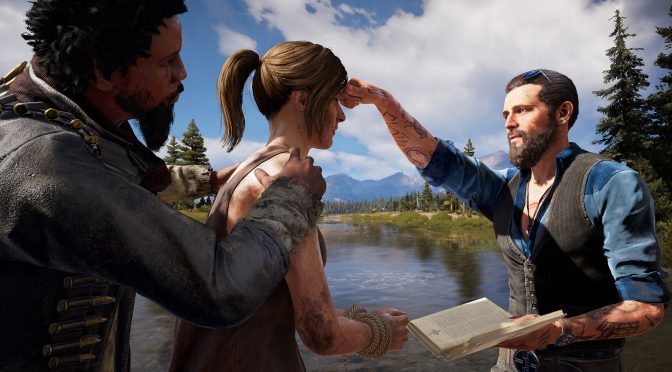
Ubisoft has released a brand new patch for Far Cry 5. According to the release notes, update 1.08 adds a Photo Mode, a Lobby Browser in the Arcade for Multiplayer Lobbies, as well as new assets and objects to the Arcade Editor.
Moreover, patch 1.08 fixes multiple low occurrence crashes, fixes a lighting issue at the Bowshaw Manor in Faith’ Region, and comes with a number of PC-specific tweaks/fixes. As such, it’s now possible to see action mapped to each button by moving mouse cursor over the keyboard image for the “Keyboard and mouse” buttons remapping screen.
As always, Steam and UPLAY will download this patch the next time you launch their client, and below you can find its complete changelog.
Far Cry 5 Patch 1.08 Release Notes
1. New Additions
- Photo Mode has now been added and is available via the Main Menu in Solo gameplay modes
- New Lobby Browser added in the Arcade for Multiplayer Lobbies
- New Lost on Mars static assets and weapons added to the Arcade Editor
- New Hours of Darkness vehicles and weapons added to the Arcade Editor
- New Hours of Darkness enemy and animal AI added to the Arcade Editor
- New Hours of Darkness vegetation and static assets added to the Arcade Editor
- New damage region assets added to the Arcade Editor under Gameplay – Health objects
2. Stability & Performance
- Fixed multiple low occurrence crashes
- Fixed a lighting issue at the Bowshaw Manor in Faith’ Region
3. Missions
- Fixed a walkthrough break when playing coop during the mission “Descente Dans la Folie” where one player could trigger a checkpoint out of order
- Fixed an issue in the mission “Furious” where the player would lose the Furious buff from the weapon wheel after dying during the mission in Coop
- Fixed an issue where the player would be unable to complete the mission “The Widowmaker” after completing the game
4. Audio
- Fixed a minor audio issue when joining a private lobby in the Arcade
5. Gameplay & UI
- Fixed some minor clipping issues with the Aya Special Outfit and the Undercover Cultist
- Fixed an issue where the vehicle color would change after fast travelling
- Fixed an issue where the weapon wheel selection would change to Fists after performing a Ledge Takedown
- Fixed an issue where the automatic weapon switch would not occur when using all of the fuel for the Flamethrower
- Switch Weapons button added to the legend when entering vehicles
- Updated the description text of the Shovel Rounds in the player inventory
- Fixed an issue where the Caribou and Alpha Caribou skins would have the same icon in the Inventory and Shop
- Fixed issues with the player animation while using the SVD in certain situations
- Fixed an issue where the SVD scope would be unable to zoom after equipping the Enhanced Scope
- Fixed an issue where the SVD was missing certain SFX if a silencer was attached to it in the Main Game
- Fixed an issue where the icons for collectibles and Arcade posters wouldn’t clamp when marked as a waypoint
6. Coop
- Fixed an issue where the Shop 3D model of the 1956 Hierarch Force M.50 Cal would not always load for the client
- Fixed an issue where the client could get stuck on a black screen after reloading under certain circumstances
- Fixed an issue where the glass breaking SFX was missing for the Client when the Host throws a Molotov
- Fixed an issue where a safe would appear closed for the client and opened for the host when exiting and returning to an area with an opened safe in Coop
7. PC Specific
- For “Keyboard and mouse” buttons remapping screen now it’s possible to see action mapped to each button by moving mouse cursor over keyboard image
- Fixed issue with resetting settings for Tobii Eye Tracking device
- Other minor UI fixes
8. Arcade
- Fixed an issue in “Bounty Hunt” game mode where a dog set as a target did not have a target icon and could not be marked
- Fixed an issue where Herald’s tag icon would disappear when they use turrets
- Fixed an issue where some HUD elements would be present during the loading screen when restarting maps or quitting back to Arcade
- Fixed an issue where the buttons for “Change Map”, “Loadouts”, and “More Info” were being displayed for players who were not map pickers without functionality
9. Map Editor
- Fixed various issues with assets
- Fixed an issue where AI stuck in a rock would pass map validation
- Fixed an issue where the first folder of a category is always selected when backing out of any folder in a list
- Fixed an issue with the reinforcements bar appearing white when replaying an Outpost in the Arcade Editor
- Fixed an issue where some animals were invisible when placing them in the Arcade Editor
- Fixed an issue where animals were unable to trigger their interaction animations in Arcade Editor
- Fixed an issue where the Yeti was missing VFX when un-spawning

John is the founder and Editor in Chief at DSOGaming. He is a PC gaming fan and highly supports the modding and indie communities. Before creating DSOGaming, John worked on numerous gaming websites. While he is a die-hard PC gamer, his gaming roots can be found on consoles. John loved – and still does – the 16-bit consoles, and considers SNES to be one of the best consoles. Still, the PC platform won him over consoles. That was mainly due to 3DFX and its iconic dedicated 3D accelerator graphics card, Voodoo 2. John has also written a higher degree thesis on the “The Evolution of PC graphics cards.”
Contact: Email