
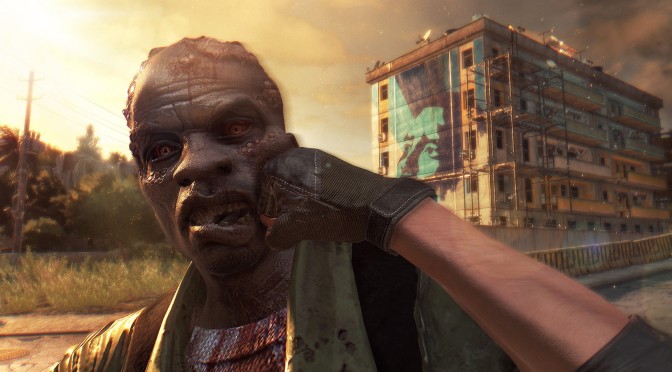
Techland has just released a new update for the PC version of Dying Light that comes with numerous performance optimizations. According to the release notes, there are still some issues related to AMD’s processors, as well as unsatisfactory performance on multi-GPU systems. This patch will be auto-downloaded from Steam, and you can view its complete changelog below. Kudos to Alt-Tab‘s Thanos Psarogenis for informing us!
Dying Light – Update 1.2.1 Changelog:
• numerous performance optimizations, both general and configuration-specific, that resolve many performance problems
• compatibility fixes – related to language and regional system settings
• fixes a number of crashes in various situations
• blocked cheating by changing game’s data files
• new issue tracking mechanisms (-safemode switch, additional logs, minidumps always, full dumps on request)
• numerous audio compatibility fixes• Bug fixing:
o resolved disappearing inventory in a save game in specific circumstances
o resolved blocked using of items after breaking reloading of shooting weapon
o removed weapon duplication glitch of throwable weapons
o limited camera field of view on cutscenes when in-game FOV set to other than default
o lowered frequency of docket availability informationKNOWN ISSUES WE ARE WORKING ON:
• performance issues of systems based on the AMD processor
• freezes when using Nvidia DoF
• unsatisfactory performance on multi-GPU systems
• added keyboard support for unicode characters
• fixed crashes (when unplugging game PAD controller, on landing movie)
• fixed primary weapon HUD selection via mouse controller
• fixed input system performance (along with mouse wheel)
• fixed v-sync in windowed mode
• fixed fullscreen support
• fixed game process priority
• fixed water reflection
• fixed in-game menu map background
• fixed characters faces morphing (chatters)
• fixed missing (yellow) materials, i.e. sense mode, bushes, rocksKNOWN LINUX ISSUES WE ARE WORKING ON:
• the game does not launch on some systems (i.e. Linux Mint)
• the game does not work with Radeon cards
• some rendering/OpenGL performance issues
• too intense blur effect

John is the founder and Editor in Chief at DSOGaming. He is a PC gaming fan and highly supports the modding and indie communities. Before creating DSOGaming, John worked on numerous gaming websites. While he is a die-hard PC gamer, his gaming roots can be found on consoles. John loved – and still does – the 16-bit consoles, and considers SNES to be one of the best consoles. Still, the PC platform won him over consoles. That was mainly due to 3DFX and its iconic dedicated 3D accelerator graphics card, Voodoo 2. John has also written a higher degree thesis on the “The Evolution of PC graphics cards.”
Contact: Email
At least, they are working on it. Not like Capcom and Dead Rising 3.
Truth be spoken and thumbs up
Can’t play multiplayer, constantly crashes. Guess what? Still can’t play multiplayer with Dead Island either! + DMCA crap against the modding community! F*** Techland and WB. Total a**holes that won’t fix anything
Definite performance boost.But still low FPS at night.Which is really strange.Cos in the morning fps defiantly improved.
Likely your CPU. As day is more GPU taxing night would be more CPU taxing as zombie AI improves.
Hmm that sounds right.But i am running an i7 4790k at 4.4ghz so what else i need?Six core intels?Also at night with everything pitch black i get big boost if i turn shadow from very high to high.Any ways this game tell you to avoid nights.So i just sleep through all night to avoid fps issue.ahha.
No more fps drops/spikes with this patch. Can get consistent 60fps in 1440p at max settings (except view distance) in my 970 sli setup.
They lowered the view distance, 100% is now around 55% pre-patch, so having it all the way down is half the amount that the lowest was before.
This is not optimzation, This is downgrade.
First video distance was 8.6 or 100% in the script files, they’ve degraded that to 2.6 for 100% instead. Shadows the old High (4096×4096) is the new Very High. High is now 2048×2048, low is probably 512×512.
optimization is DOWNGRADING plain and simple, there is no magic algorithm that gains performance.
No company is gong going to recompile code, its just not going to happen.
No. Optimizing means lots of different things.
I often saw people optimazing their games in some funny ways. Like removing details when you aint looking at them, or stuff behind you (or behind buildings) vanishing so there would be less things in the map/world for your PC to handle. 🙂 I wonder what other ways are there? I’ve always been a bit curious about that lol.
Hmm, one could almost write a book on optimizing because it’s a broad subject. It basically means “how to make a game run good”.
I think what we’re talking about here is mainly platform-specific optimizations for a PC port. Optimizations aren’t typically a big thing for console games because even before there is any game whatsoever they’re planning out what the game will look like and how it will play given the limitations of the console, so optimizing is done during every step.
When optimizing a PC port it’s usually at the end of development when the developer really needs to shift gears and either add in or bolt on new features in order to optimize for a PC platform with such a broad list of hardware, and hardware that is typically much faster and uses higher resolutions, different controls, and a much closer view position for an optimized experience on that platform.
An example of an added or bolted on feature for a PC port would be an enhanced “Settings” menu with support for different fields of view, resolutions, control options including key-mapping and mouse options such as speed and acceleration, and of course Graphic Options. This takes new code within the game that sometimes previously didn’t exist, which means it cost money because someone needs to sit down and make that code, then others need to test it. Some companies aren’t willing to pay for this.
The best example of poor optimization I can think of is Ubisoft’s PC ports lately. Watch_Dogs and Far Cry 4 gave PC gamers very little control over the graphics. They linked many graphical effects to other options, so when you change the Texture setting, which typically increases just the quality of the textures, in these games the option also increases the LOD distance and affects the texture filtering. This makes it so that I can’t choose to have a short view distance (decreasing CPU usage) and increased texture detail up close (increased GPU usage) which runs better on my PC because I have an aging CPU but a powerful GPU. Which leads to another point: optimizing for the PC means giving the players the proper tools to optimize their own game according to their individual hardware. Watch_Dogs and Far Cry 4 are so PC gamer-unfriendly it’s insulting and infuriating. But they saved money so they don’t care.
Born2Expire is wrong when he says that optimizing is ONLY downgrading. Optimizing for PC is mostly upgrading! The higher VRAM and more powerful CPU’s of a PC allows the developer to increase the quality of graphics, like having higher res textures, better light rays, more particles, better physics and AI, etc.
Performance optimizations like the ones you were talking about where objects disappear when you’re not looking at them, can sometimes be a feature of the graphics engine, which may be a result of console limitations and/ or ease of use for designers (such as with the id Tech engine). Either way, that’s not usually a PC specific optimization so I’ll just let that be for now.
That explained quite a bit actually. It does proabably take a bit to code different settings. I never really thought about it. I too have noticed how a lot of games mix settings, so you cant hand pick different things. I usually want better textures and really low distance of the grass (not the trees, in some games those are 2 different options and i hate when they mix the nature in to 1 big button) I also hate when they add all stuff like motion blur, aliasing, depth of field and stuff into 1 thing again (sometimes shadows aswell?) I typically reduce the shadows quite a bit if the game doesn’t run at 60 FPS. If that doesn’t help, i move on to the next big thing – Trees/ grass/view distance and then field of view. Textures is/are one of the last things i lower.
I’ll usually put the game on Ultra textures and work down from there. I do like nice shadows, though. Usually a game will look great with Ultra textures and good shadows to give depth, as long as the shadows don’t look low res and splotchy on the characters.
Yea, now days i’ve notice how much the shadows add to a scene too.
You are right about the low ress shadows looking super ugly below the objects. Thats why if they are far too strange on medium, i usually try to turn them off all together. 😛 I just can’t stand low ress textures now days, thats why shadows is my go to option for “optimazing” my games if i need the extra fps to hit 60. 😛
Last game i had to lower textures was GTA 4? I remember i had to choice from ALL options on very high VS textures on high. So i just lowered the textures to medium and put everything else on max (water,shadows,view distance etc)
Good thing i got a good computer now days and i don’t have to compromise almost anything, but if i had to (Like in the case of Unity/Farcry 4) then i do that!
Where did I say it was ONLY downgrading? Sure it can mean upgrading, but in reality 90% of the time its a downgrade. Sadly in 2015 “optimization” means downgrade due to our console overlords, and its rare that the PC gets a superior version.
Seriously? “optimization is DOWNGRADING plain and simple”
Are you saying that you didn’t say that?
And to your point about the percentage of good ports, that’s irrelevant to the subject.
Uhg, and to say that it’s rare that the PC gets a superior version, you absolutely couldn’t be more wrong. Most PC ports at least come with higher res textures.
Just stop talking now.
Simplest form of optimization for example: You are programming AI in a game, you can save time and write 10K lines of code for a specific action/behaviour, but if you spend a bit more time on it and think from a different perspective, you may be able to do the exact same thing with half the amount of code. That impacts performance, specifically the CPU.
Another example would be adapting your game engine to take full advantage of CPU multi threading, to have evenly distributed workloads across all/most cores. This is why DayZ runs horribly, the ArmA2 engine that it’s based on was being developed in the early 2000’s when pretty much only Dual Core CPUs were available so the game only uses 1-2 cores, Quad Cores weren’t consumer grade yet and cost a fortune at that time.
Optimization is real but it has its limitations. It’s not a magic like many console gamers believe.
https://coruscantheights.files.wordpress.com/2014/03/facepalm-nicolas-cage.gif
One could argue that for sure but you can get more performance for stuff you just wouldn’t notice or see but in the end it’s down to what’s acceptable to the user, most people would go for a higher frame-rate over image quality.
What’s up with devs downgrading every game these days?
Techland: Everyone doesn’t have GTX980s, lets just edit the settings.
Everyone: WOW OPTIMIZED YEY!!!
Pretty much everyone is jumping around, and only a few realizing that distant objects look utter shiet. Not to mention they disabled mods.
This is also optimization, the 100% draw distance previously halfed everyones fps and didnt look better.
It does look better when you’re on the roofs, the tress and some objects turn to low detail, trees look 2D when the slider is lower.
so which looks better with patch?or without?
I couldn’t really say just that the higher draw distance makes the trees look better.
One thing I’ve noted, even with the var at 10.0, sometimes the textures in front of you simply fail to load and take a little time. Yes 60fps is possible, at 3.0 draw distance with 2k shadows, the foilage shadows in this game are VERY accurate, I love that.
This reminds me of the mergedmeshesinstancedistance var from Crysis 3. 4.5 was the default and pretty much rekt any cpu, 2.0~3.0 was the sweet spot for older CPUs.
Also, setting 200 draw distance in the first crysis game totally rekz cpus. Damn I’m pretty stingy about these things, and Crysis was one game where it actually helped.
I admit it does, but slightly and it’s not worth it in comparison to the fps hit.
^this
are u sure?
Good news.
This patch didn’t do shít. Punching zombie níggers at 20 fps sucks. Dead Island ran a lot better and looked just as good.
Ignorance is strong with this one….
Penis is strong in your ?sshole.
lmao
CENSORSHIP!!! BOO!!!
Some how your are edited when saying the slang of a bowl movement, yet you are uncensored when saying one of the most derogatory terms for a person of african decent… great mod’s on the forums…..
He used “í” instead of “i” that’s the only explanation I have.
But one thing is clear, he’s an “ídiot”
First comment by this account, and full on racist. Yet not deleted…
Well if he’s black then it’s a common term used by blacks, I mean you only need to play GTA 5 to see that or watch some Hollywood movies,
Sean he’s clearly not black.
But good joke about GTA5.
Got the game running well at 2560×1440, 60fps, high shadows, AA on, draw distance about a 1/4. Also there is a trick to stop the first core going 100%, just click the first core in Set Affinity of the app and click it again.
http://i.imgur.com/FZuK935.jpg
http://i.imgur.com/zHwGV31.jpg
If you have framerate issues / issues with your CPU 1 core being used and other cores not, try this.
https://www.youtube.com/watch?v=ChE0hPE0NME
Nice to hear that lets see it in action!
sweet words dosen’t mean better performance!
Set affinity?
Yep, just uncheck the first core and then check it again while the game is running and it will stabilise the core. If you don’t know how to do that, Task Manager> Processes right click the exe game name, Set Affinity.
Will do, thanks. Is this new patch worth it, or leave it?
Seems to be fine.
still no fix for the full screen issue..i cant play it on fullscreen no matter what…so annoying
Sorry have to post this LMAO
http://i.imgur.com/verUeSg.gif
http://i.imgur.com/1iMSclc.gif
:)) really ?
Lower than low. 🙂
is that a surprise to people?
Considering devs usually say it’s equivalent to high or ultra on the PC then yes.
Sorry peasant, try thinking for yourself, because if you did you’d join us. I’m against being outright rude, but……..f’ consoles. It’s like eating at McDonalds for “protein” LMAO
you really think you can compete with your $400 console? come on man, THINK FOR YOURSELF
I haven’t got a console you idiot, learn to read.
You know whats the funny thing?
Im a PC gamer junkie with a decked out rig (GTX 690, i7 OCed to 4.4, 8 gigs of ram OCed to 2133, 256 GB & 120 GB SSD Drives) and I play at 2560×1440 but almost all the most recent AAA games released on PC have run like utter s**t so Ive been buying all my multiplat games on PS4 and they have given me no such problems on launch day. Both Dying Light and Far Cry 4 runs perfectly on the PS4 with very few dips in to the sub 30s and I couldn’t be more happy. Consoles serve their purpose lol
Add me on Steam
NinjamanNIENNIENNNIEN
A comparison of viewing distance settings. These are both 100%
This is pre-patch
http://s21.postimg. org/3m6ns6hcn/old100.jpg
And this one’s post-patch
http://s1.postimg. org/arjsb56jz/new100.jpg
The TOD’s different coz the other one’s a stock image when I was optimizing the game for my rig but you can see that a lot of details are lost
this patch completely ruins the games graphics.avoid it at all
i can confirm that the game works good with this update on a GTX 680
Well the view distance relies heavily on the CPU so it’s understandable that the consoles view distance is so low.
yea , 1.6ghz mobile got crushed hard it seems…
but it’s kinda crappy multi-threaded on PC as well , it’s only that we have cpus that are 5 times faster in single thread performance
Oh boy, oh boy, be prepared for one of the lamest endgame ‘fights’ EVER.
https://www.youtube.com/watch?v=nUp4zop_Yw0
With the new patch 🙂
They can still add some 5-10 FPS more to the game by using the CPU properly.
They’re DMCAing people over mods, and “blocked cheating by changing game’s data files” means blocking mods.
GG, techland
Clearly you’re new here, see my screenshots running at 1440p.
My 1440p video, runs well.
http://youtu.be/YQ6K2sP7iTs